Go Environment Variables
For convenience in development, three environment variables often need to be set in the development environment:
$GOROOT: The installation directory ofgo, which remains unchanged after configuration;$GOPATH: The project root path of thegoproject in the local development environment (for project compilation,go build,go install), this environment variable can differ for different projects during compilation;$PATH(important): Thebindirectory ofgoneeds to be added to the system$PATHto conveniently use related go commands, and it also remains unchanged after configuration;
There is also a detailed explanation of Go's environment variables in the official documentation, please refer to the link: https://golang.google.cn/doc/install/source
The
$GOOSand$GOARCHenvironment variables are two very practical variables that can be used in cross-compilation for different platforms. You only need to set these two variables beforego build, which is one of the advantages of the go language: it can compile and generate executable files that run across platforms. It feels more efficient and lightweight compared to QT, although the generated executable files are a bit larger, they are still within an acceptable range. For example, to compile an executable file forWindows x86under theLinux amd64architecture, you can use the following command:CGO_ENABLED=0 GOOS=windows GOARCH=386 go build hello.goUnfortunately, cross-compilation temporarily does not support the
cgomethod, so you need to set the environment variable$CGO_ENABLEDto 0. This will generate ahello.exeexecutable file for thewindows x86architecture in the current directory after execution.
Environment Variable Settings
Other than the $PATH environment, other environment variables are optional.
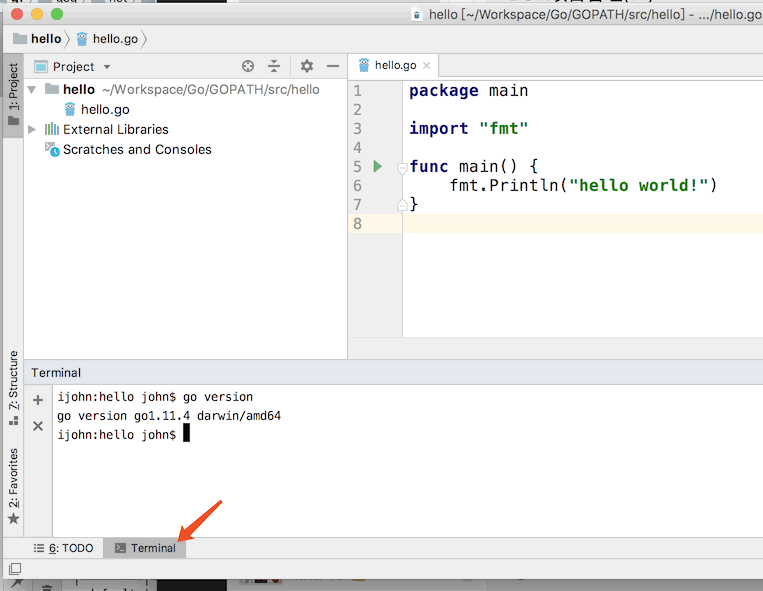
Why is this step optional? Because future versions of Go are gradually beginning to remove support for $GOPATH/$GOROOT. In addition, there is a Terminal function integrated into the Goland IDE where the environment variables are already set.
Setting Environment Variables on *nix
On *nix systems (such as Linux/Unix/MacOS/*BSD, etc.), you need to add the following environment variable settings to /etc/profile and then execute the command #source /etc/profile to reload the profile configuration file (or log in again) to add the following variables to the user's environment variables:
export GOROOT=/usr/local/go
export GOPATH=/Users/john/Workspace/Go/GOPATH
export PATH=$GOPATH/bin:$GOROOT/bin:$PATH
Setting Environment Variables on Windows
For how to modify system environment variables and modify the PATH environment variable on Windows, please refer to online tutorials (Baidu or Google).
IDE Tool Configuration
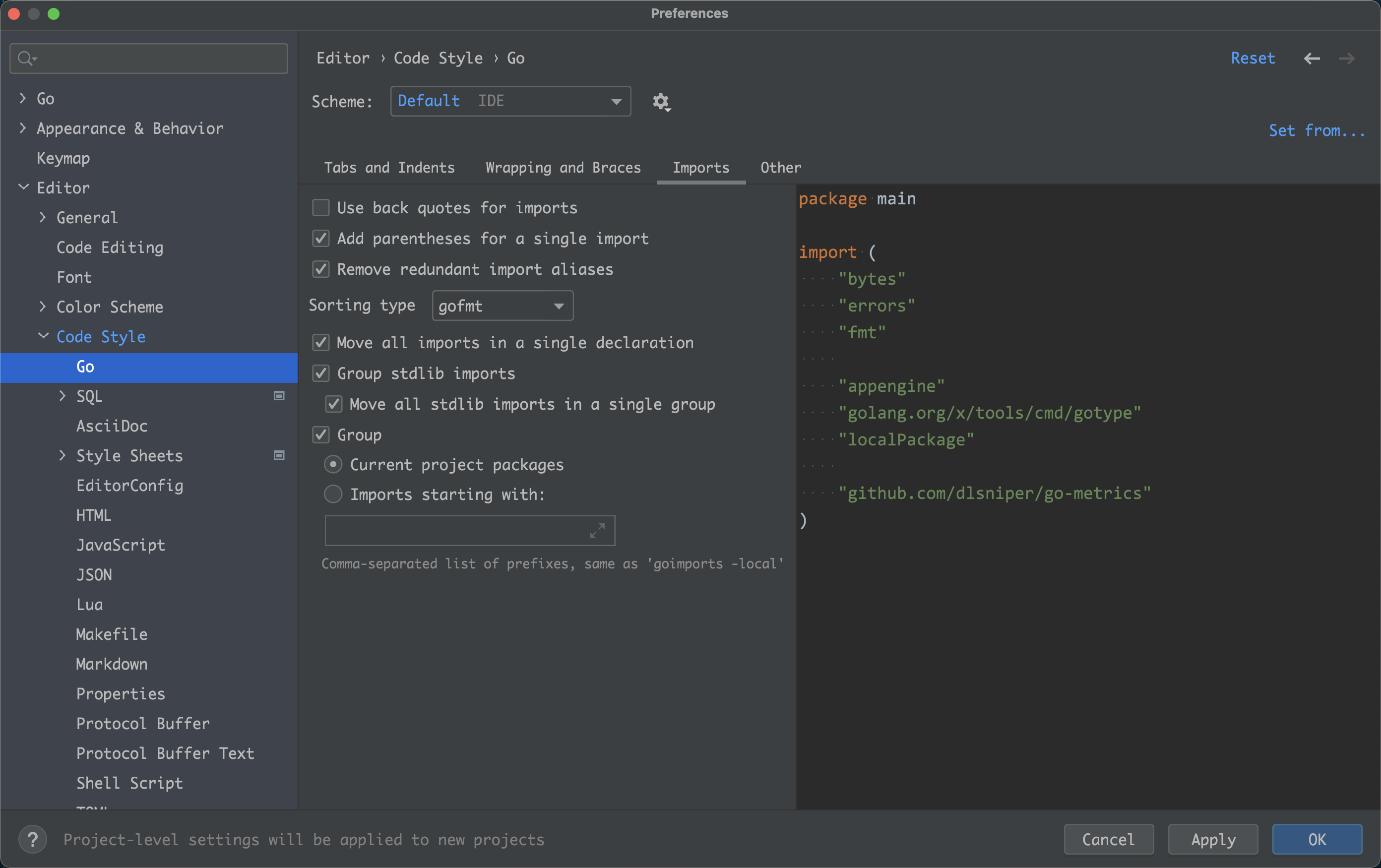
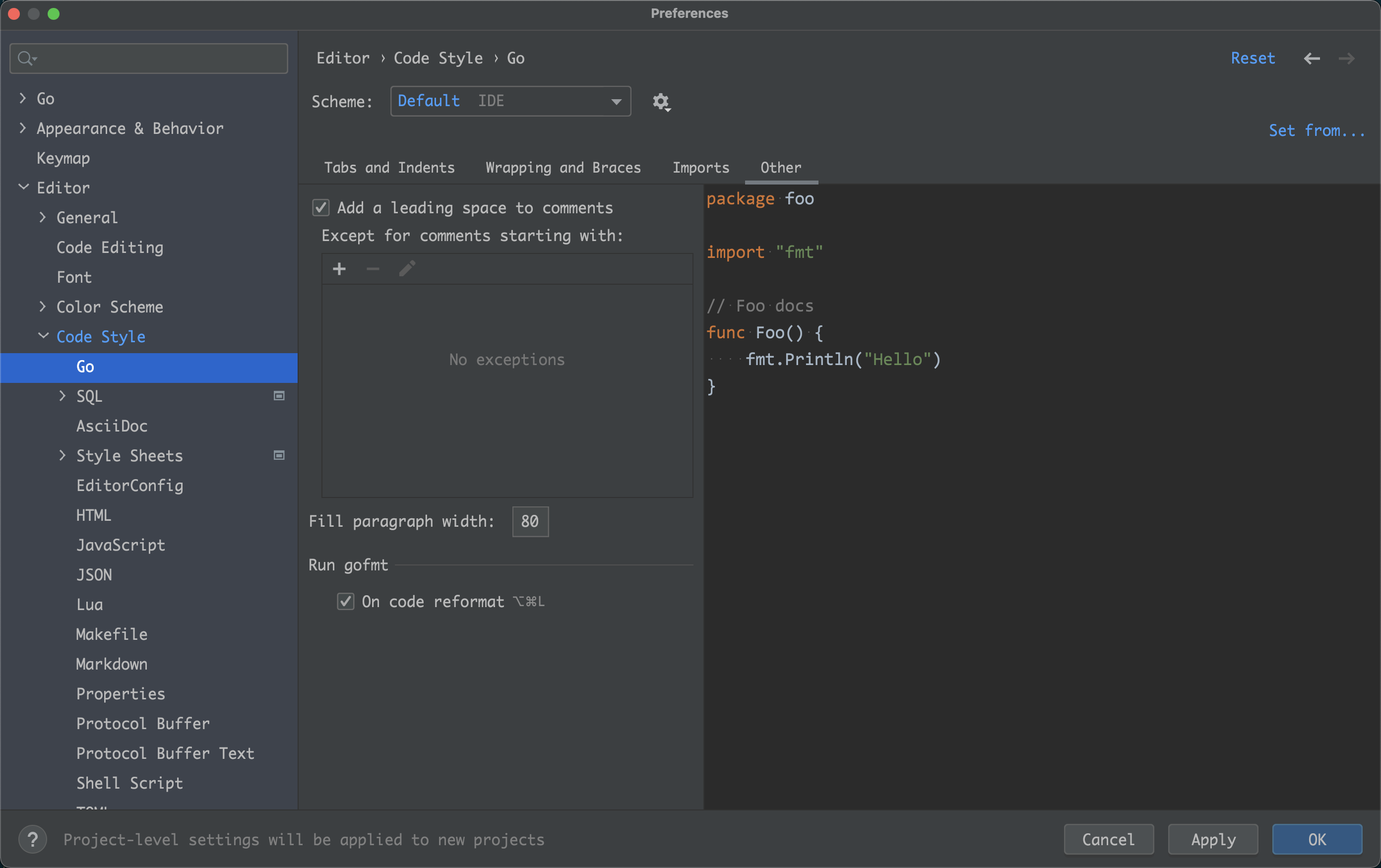
This article uses the Goland development tool as a base to introduce the configuration of common tools in this IDE.
Commonly used tools include:
go fmt: A unified code formatting tool (mandatory).golangci-lint: A static code quality inspection tool used for package quality analysis (recommended).goimports: An automaticimportdependency package tool (optional).golint: A code convention inspection tool, which also detects the quality of single-file code and is used by the well-known Go quality assessment site Go Report (optional).
go fmt, goimports, golangci-lint
Since these three tools are built into Goland, the configuration is relatively simple. Refer to the following pictorial operation example:
- In the
Golandsettings, selectTools-File Watchers, then choose to add
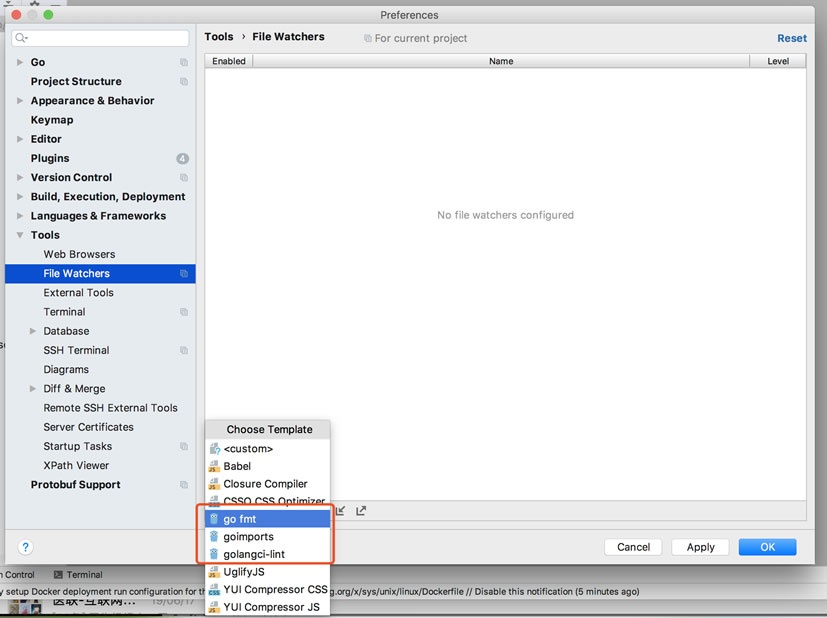
- Add these 3 tools in turn by clicking, and use the default configuration
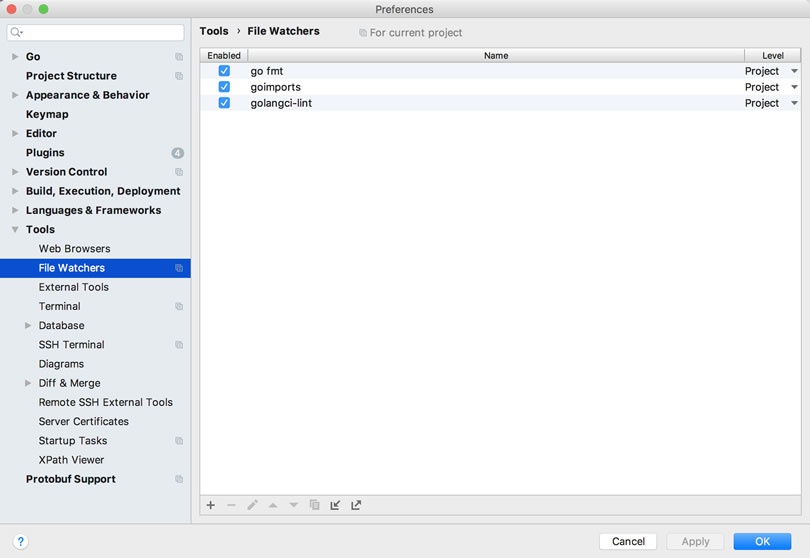
- Subsequently, while writing code, these 3 tools will be automatically triggered for detection when you save the code files.
Installing and Configuring golint Tool (Optional)
Installing golint
Since Goland does not come with the golint tool, you need to download and install it yourself first.
If you have configured goproxy, you can directly use go install golang.org/x/lint/golint@latest to install, without needing the command below.
Use the following commands to install:
mkdir -p $GOPATH/src/golang.org/x/
cd $GOPATH/src/golang.org/x/
git clone https://github.com/golang/lint.git
git clone https://github.com/golang/tools.git
cd $GOPATH/src/golang.org/x/lint/golint
go install
After a successful installation, you will see the automatically generated golint binary tool file in the $GOPATH/bin directory.
Configuring golint
- Then in the
Tools-File Watchersconfiguration ofGoland, by copying the configuration ofgo fmt
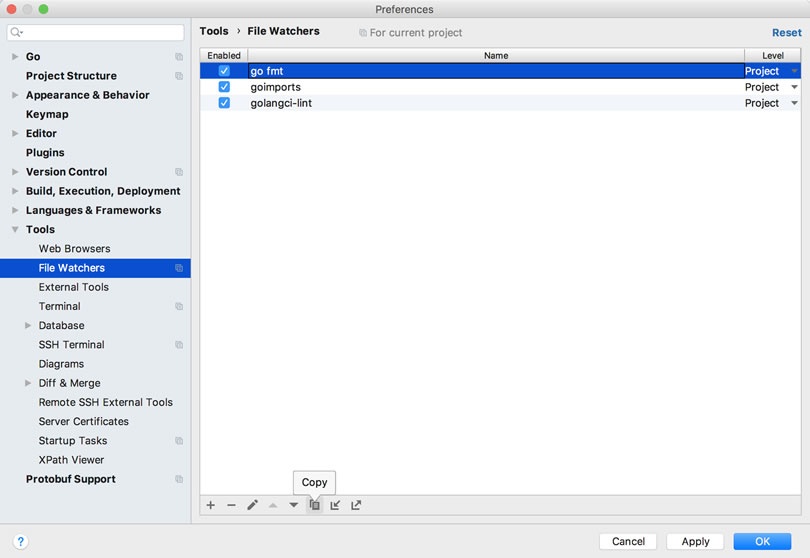
- Modify the three settings
Name,Program, andArguments, whereArgumentsneeds to add the-set_exit_statusparameter, as shown in the figure:
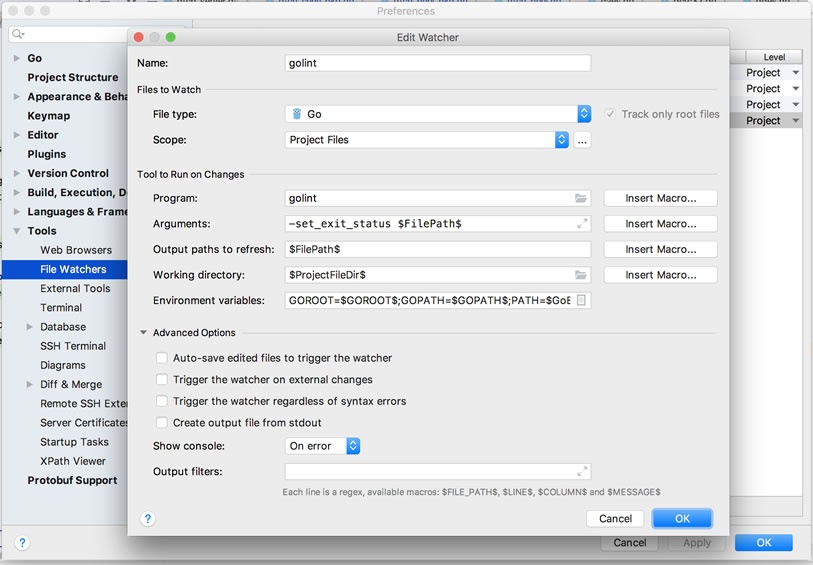
- Save, and the
golinttool will be automatically triggered for detection when saving the code during writing.
Configuring golangci-lint (Optional)
- Then in the
Tools-File Watchersconfiguration ofGoland, by copying thego fmtconfiguration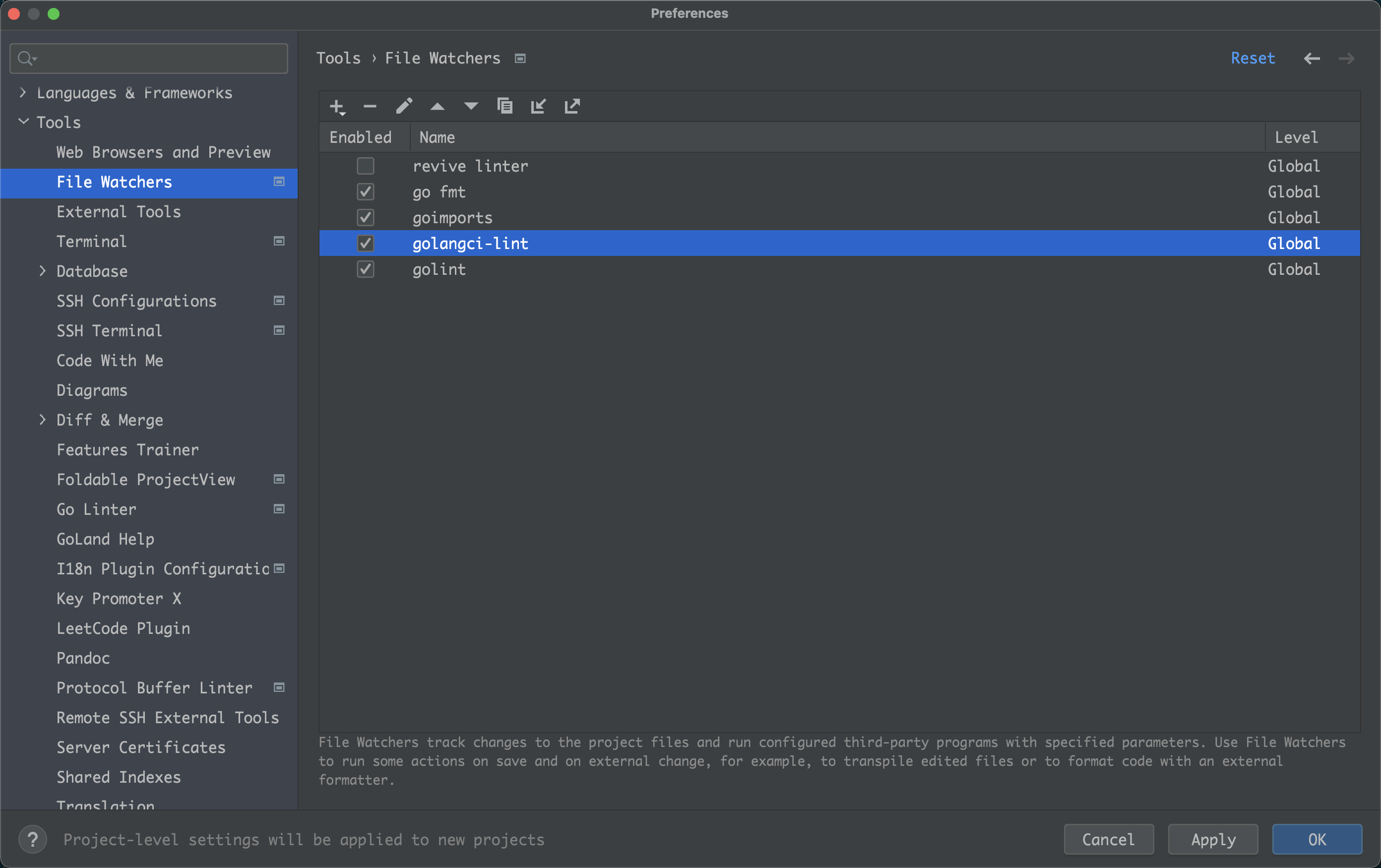
- Modify the
Name,Program, andArgumentssettings, whereArgumentsneeds to add therun $FileDir$parameter. Note: The options in\Advanced Options`` can be deselected if the machine is relatively slow, as shown in the figure: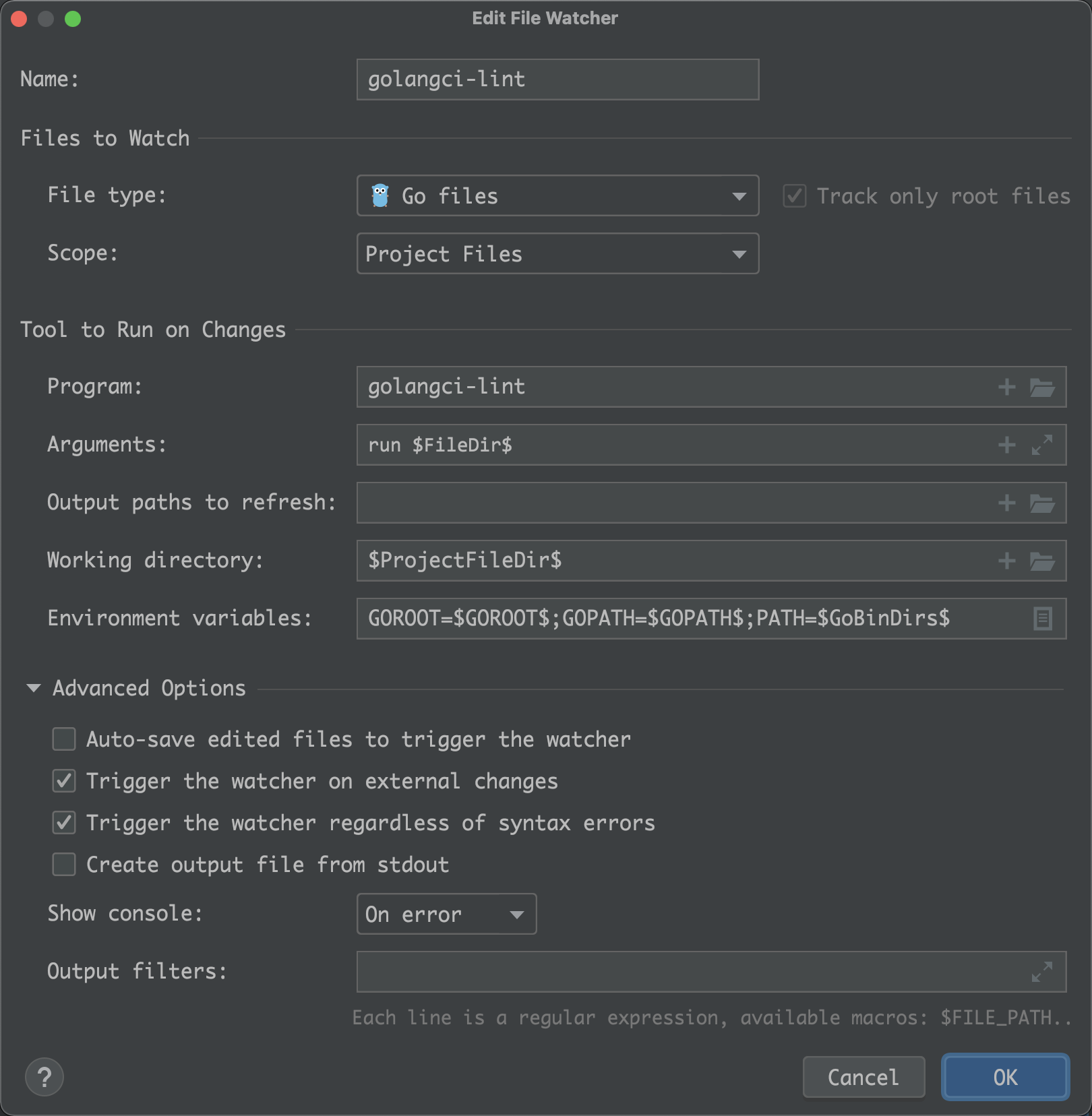
- Save, and the
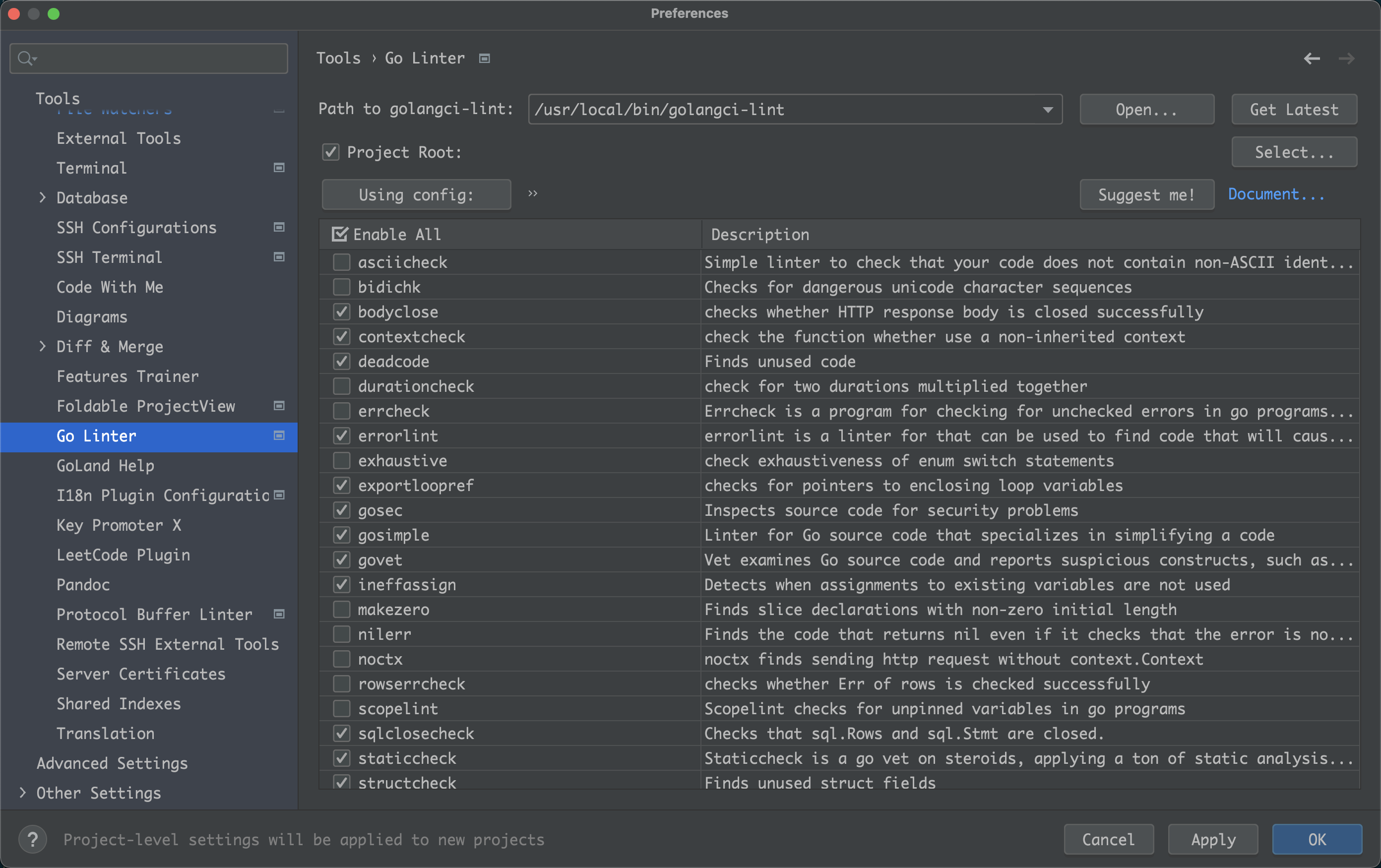
golangci-linttool will be automatically triggered for detection when saving the code during writing. - Manage the configuration of
golangci-linttools through thego Linterplugin. Below is the installation and configuration ofgo Linter.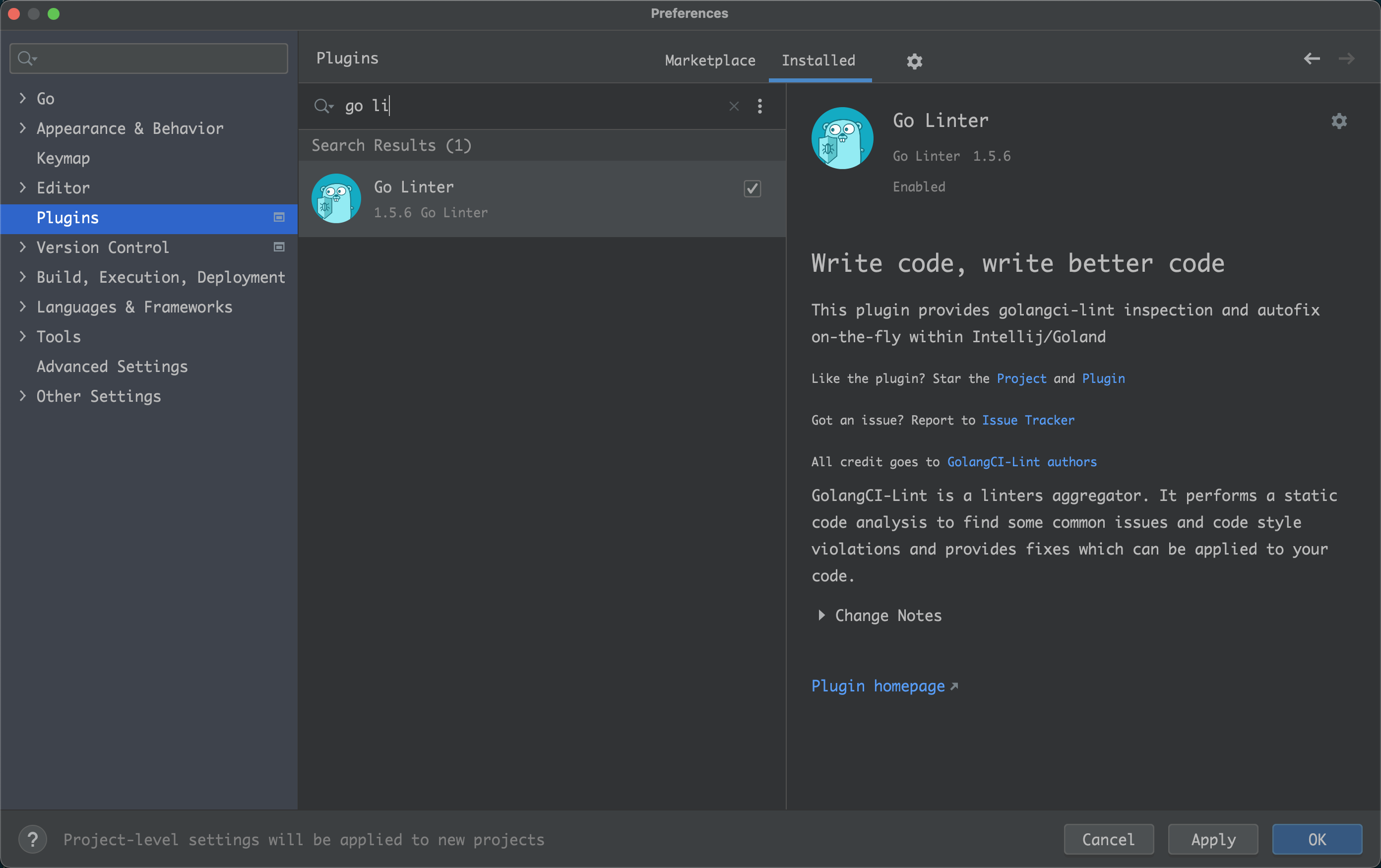
IDE Code Style Configuration